Tutorials How to Export Airbnb User Profile Reviews to Excel Export every review an Airbnb host or guest profile has received — with ratings, reviewer location, host/guest role and automatic English translations — to Excel, CSV or JSON.
Steam How to Export Steam Discussions to Excel Export every reply in a Steam Community discussion thread — group forums and game-hub discussions — to Excel, CSV or JSON. Free for public topics, no login.
Bluesky How to Export Bluesky Comments to Excel, CSV & JSON Export every reply from any Bluesky post, or every post from a whole profile, to Excel, CSV or JSON — with author handles, likes, reposts and full thread depth.
Giveaway Why 'Instant' Giveaway Winners Aren't Fair (and How to Spot a Rigged Draw) An instant winner on a 50,000-comment post means ~99.8% of entrants were never read. Here's why a fair draw takes 20-30 minutes, and the one test that proves your tool is honest: can you download the full entrant list?
Giveaway Featured How to Pick a Giveaway Winner from Comments (Free & Verifiable) Running a giveaway is one of the fastest ways to grow on social media — but only if the draw is provably fair. This guide shows you how to pick a random giveaway winner from the comments on any Instagram, Facebook, YouTube, TikTok or X post in under a minute, free,
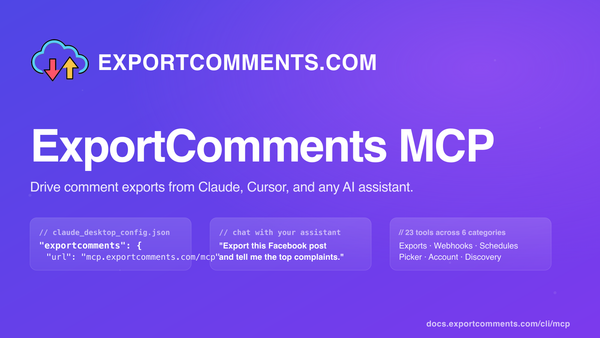
AI ExportComments MCP: drive comment exports from Claude, Cursor, and any AI assistant Connect ExportComments to Claude Desktop, Claude on the web, Cursor, Windsurf, or any MCP-compatible AI assistant. Your assistant can then create exports, poll status, download data, summarise complaints, and pick giveaway winners — all without leaving the chat.
Tutorials How to Export Kuaishou Comments to Excel Export every comment from any Kuaishou (快手) short video — author, UID, likes, reply count and timestamps — to Excel, CSV or JSON.
Tutorials How to Export Chrome Web Store Reviews to Excel Download every Chrome Web Store extension review — with star rating, language, helpful count and replies — to Excel, CSV or JSON.
Tutorials How to Export Flipkart Reviews to Excel Export every Flipkart product review — with star rating, verified-buyer flag, photos, seller name and helpful votes — to Excel, CSV or JSON.
Tutorials How to Export Figma Comments to Excel Two ways to export Figma comments — community-plugin feedback (public) and design-file comments (via personal access token) — to Excel, CSV or JSON.
Tutorials How to Export Bilibili Comments to Excel Download every comment from any Bilibili (哔哩哔哩) video — author, UID, level, VIP status, IP region, likes and reply tree — to Excel, CSV or JSON.
Tutorials How to Export Airbnb Reviews to Excel Step-by-step guide to export every Airbnb listing review — with rating, host response, location, language and Superhost flag — to Excel, CSV or JSON.
Instagram How to Find the Most-Commented Instagram Posts An analyst's notes on hunting down the most-commented Instagram posts of all time — Messi, the World Record Egg, Kopsialis's 43M-comment giveaway — and how to actually pull the comment data once you've found them.
Telegram How to Get Export Notifications via Telegram Send a URL to @ExportCommentsBot in Telegram, get the Excel back as an attachment in the same chat. Built for mobile-first social managers, agency teams replying to client requests on the go, and ops teams who want exports inline with their alerts.
Chrome Extension How to Install the ExportComments Chrome Extension Install the ExportComments browser extension to export comments from private content the platform APIs can't reach — closed Facebook groups, private Instagram accounts, Discord channels, LinkedIn posts. Your session token never leaves the browser.
Facebook How to Export Facebook Private Posts to Excel Export comments and reactions from Facebook posts only you can see — closed groups you've joined, friends-only posts, and private brand pages — to Excel, CSV, or JSON. The browser extension reads what your logged-in session reads, with all six reaction types broken out per user.
Instagram How to Export Instagram Private Posts to Excel Export comments from Instagram posts only you can see — your own private account, accepted-follow accounts, and Close Friends content — straight to Excel, CSV, or JSON. The browser extension reads what your logged-in session reads, nothing more.
Walmart How to Export Walmart Reviews to Excel Export every public Walmart product review to Excel, CSV, or JSON — with reviewer name and location, rating, title, body, structured pros and cons, verified-purchase flag, helpful count, seller name, variation, and timestamps. Step-by-step guide.
Steam How to Export Steam Reviews to Excel Export every public Steam review for any game to Excel, CSV, or JSON — with playtime at review, recommendation, helpful and funny votes, language, early-access flag, and Steam-purchase verification. Step-by-step guide.
Steam How to Export Steam Profile Wall Comments Export every comment on a Steam profile wall to Excel, CSV, or JSON — with poster name, persistent SteamID64, profile URL, edit flag, and timestamp. Built for trade-reputation audits, friends-list mapping, and harassment evidence capture.
Steam How to Export Steam Group Wall Comments Export every comment on a Steam Community group wall to Excel, CSV, or JSON — with poster name, persistent SteamID64, profile URL, edit flag, and timestamp. Ideal for moderation audits, ringleader analysis, and group archival.
Product Hunt How to Export Product Hunt Reviews to Excel Export every review on a Product Hunt product page to Excel, CSV, or JSON — with star rating (1–5), recommended Y/N, reviewer headline, company, role, helpful votes and timestamps. Built for competitor benchmarking and decision-maker outreach.
Product Hunt How to Export Product Hunt Comments to Excel Export every comment on a Product Hunt launch to Excel, CSV, or JSON — with commenter handle, headline, company, role, upvotes, maker-reply flag, and full threaded replies. The launch-day playbook for SaaS founders.
Kickstarter How to Export Kickstarter Comments to Excel Export every comment on a Kickstarter campaign — backer flag, creator-reply flag, threaded replies, profile URLs and timestamps — straight to Excel, CSV or JSON. A step-by-step guide for crowdfunding creators who need backer visibility.
Indiegogo How to Export Indiegogo Discussions to Excel Export every Indiegogo Discussion thread (Q&A) — question text, asker name and backer flag, vote count, owner reply text and reply latency — to Excel, CSV or JSON. The guide for crowdfunding creators who treat Discussions as their pre-launch FAQ pipeline.